
Hey everyone, James here!
Running a family-owned business like JDM Network Solutions has taught Elizabeth and me a very valuable lesson: communication is everything. Whether it’s an emergency consult call from a local dentist’s office with a downed network, or a homeowner scheduling a CCTV mapping consultation, how we receive and handle calls defines our service.
For a long time, small businesses in Houston have been trapped between two bad options: cheap, unreliable cell phone setups, or incredibly complex, expensive analog business landline systems with rigid, multi-year contracts.
That’s why I get so excited when I talk about UniFi Talk. It’s a professional VoIP phone system that runs completely locally on your own UniFi console (like a Dream Machine or Cloud Gateway Max), costs just $9.99 a month per line, and is completely license-free.
And now, with the release of the massive UniFi Talk 5.2 update, the system just took a giant leap forward.
What’s New in UniFi Talk 5.2?
We’ve been running the beta builds at our office workbench, and the improvements in user experience and call performance are night and day. Here is a breakdown of what you can expect when we upgrade your company to Talk 5.2:
1. Advanced DSP Audio Tuning & Noise Suppression
Houston businesses operate in dynamic, noisy environments—whether it’s a bustling Heights restaurant kitchen, a local auto body shop in Westchase, or a warehouse floor. Talk 5.2 introduces smarter on-device noise suppression and advanced digital signal processing (DSP).
It dynamically filters out background fans, machinery, and ambient chatter, ensuring that your customers only hear your clear voice.
2. A Redesigned, Clinical User Interface
Administrators managing multiple extensions will love the overhauled UniFi Talk dashboard. Setting up a new employee, assigning phone numbers, and configuring ring groups (e.g., ringing both the sales and reception desks simultaneously) is now visual and friction-free. The learning curve for new employees has been completely eliminated.
3. Smarter Auto-Attendants & Multi-Line Receptionist Flows
Do you need a professional greeting that routes calls to different desks? (“Press 1 for Sales, 2 for Support…”) Talk 5.2 levels up the Auto-Attendant logic, allowing you to build multi-level menu structures in seconds, upload custom greetings, and set up precise hours-of-operation behaviors. If your main phone line is busy, the system seamlessly holds the caller or queues them up for the next available receptionist extension.
📺 Watch UniFi Talk 5.2 in Action
Want to see how simple it is to assign numbers, configure automated receptionists, and manage call queues? Watch the official walkthrough video:
UniFi Talk 5.2 System Walkthrough
Explore the redesigned administrative controller, advanced automated greeting trees, and high-fidelity smart VoIP phone configurations.
Watch Talk 5.2 Deep Dive on YouTubePremium Hardware Built to Match
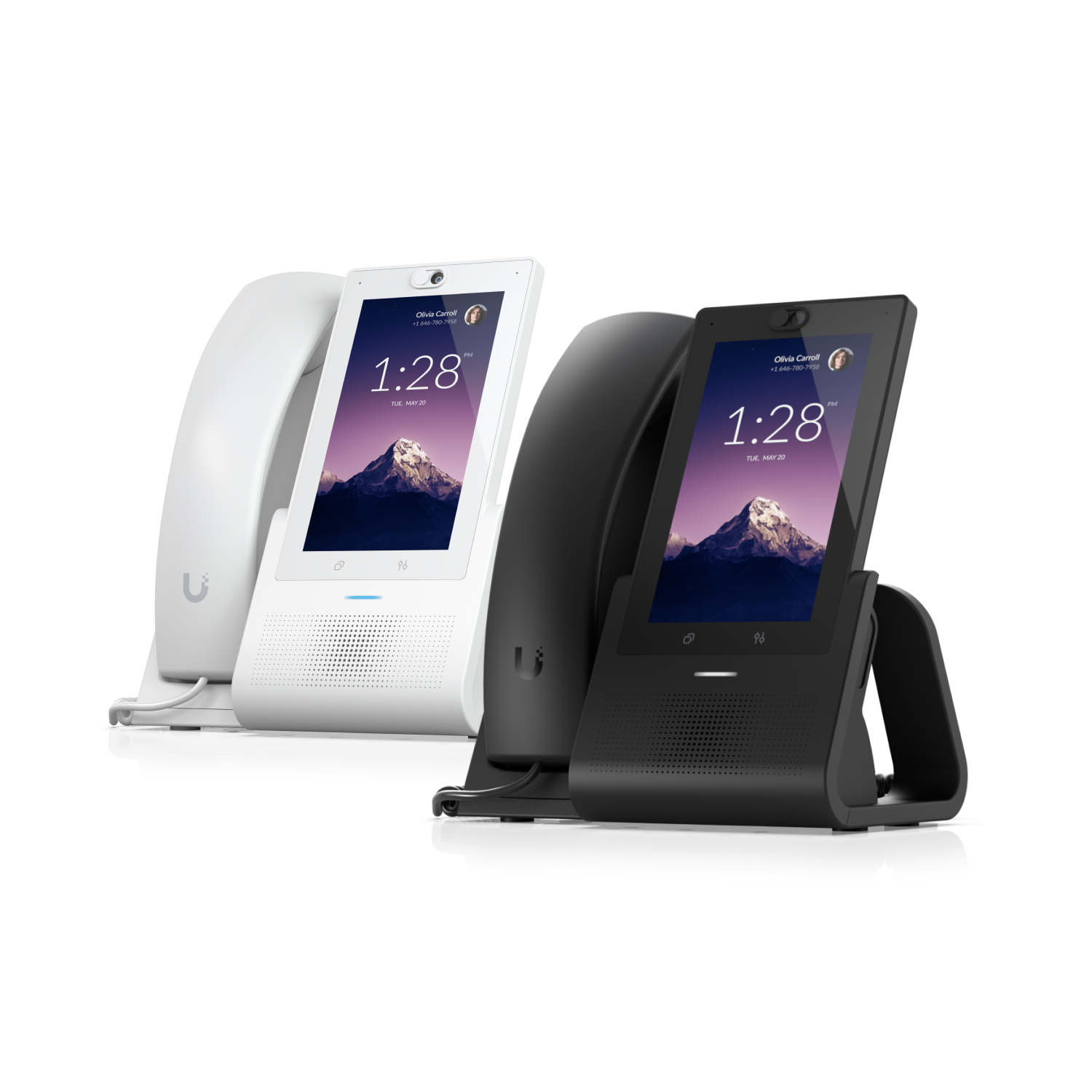
UniFi Talk doesn’t just run on smart software; it runs on high-end physical desktop hardware. We pair the Talk 5.2 software with elegant physical handsets:
- Phone G3 Touch Pro ($199 MSRP): A sleek, desktop smartphone featuring a high-res 7-inch color display, an adjustable HD camera for video calls, hands-free speakerphone mode, and absolute integration with your door access cameras.
- Talk ATA Adapter ($19.99 MSRP): Allows you to connect your existing analog hardware (like conference room speaker units or legacy fax lines) straight into your modern UniFi VoIP network.
Let James & Elizabeth Level Up Your Talk System
Setting up a business VoIP system sounds like a headache, but you don’t have to tackle it alone. At JDM Network Solutions, we take care of the heavy lifting. I will handle the physical wiring (PoE cabling), network configurations, porting your existing business phone numbers, and customizing your greeting menus. Elizabeth will coordinate the scheduling, ensuring our install happens during off-hours so your business never misses a beat.
Ready to drop your phone bill, cut out the rigid contracts, and look like a Fortune 500 company on every call?
Schedule a free Discovery Call with us today. We’ll map out your lines, check your bandwidth, and show you a system you’ll love using.
James & Elizabeth Martinez — JDM Network Solutions.